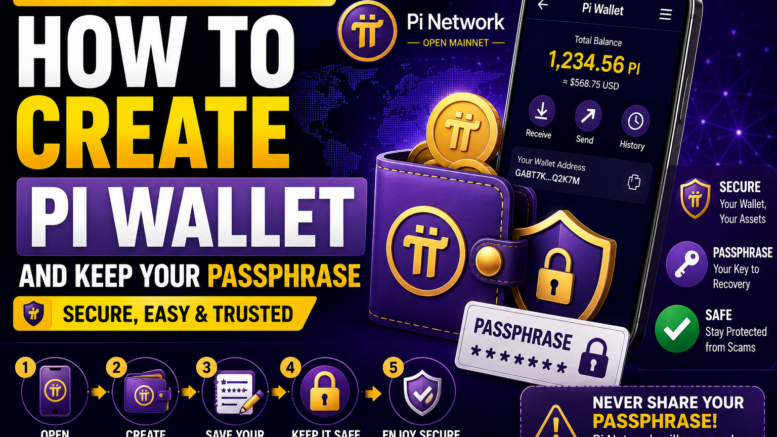
JAKARTA – As the Pi Network ecosystem continues to expand, the Pi Wallet has become one of the most important tools for users who want to store, send, and receive PI Coin on the Mainnet. Understanding how to create a Pi Wallet and protect its passphrase is essential for ensuring the safety of digital assets.
The Pi Wallet is the official digital wallet designed for the Pi Network blockchain. Accessible through the Pi Browser application, it enables users to participate in transactions and interact with decentralized applications (dApps) within the Pi ecosystem.
What Is Pi Wallet?
Pi Wallet is a secure digital wallet that stores PI Coin on the Pi Network Mainnet. Each wallet includes a unique wallet address that allows users to receive and send PI Coin to other verified users.
Unlike traditional banking services, users are fully responsible for protecting access to their wallets.
How to Create a Pi Wallet
To create a Pi Wallet, users must first download the Pi Browser application and sign in using their Pi Network account.
After opening the Pi Wallet section, the system will generate a unique passphrase. This passphrase serves as the wallet’s recovery key and is required whenever users need to restore access to their wallet.
Because the passphrase is displayed only once, users are strongly advised to write it down and store it in a safe offline location.
Never Share Your Passphrase
The Pi Core Team repeatedly reminds users that the passphrase is the most important security credential for a Pi Wallet.
Anyone who gains access to the passphrase can control the wallet and its contents. For this reason, users should never share it with anyone, including individuals claiming to represent Pi Network.
The official Pi Network team will never ask users for their passphrase, password, or verification codes.
Strengthen Your Account Security
In addition to protecting the passphrase, users should create a strong account password and avoid logging into their wallet from untrusted devices.
Downloading only the official Pi Network and Pi Browser applications from legitimate app stores can also help reduce the risk of malware and phishing attacks.
Store Your Passphrase Offline
Security experts recommend keeping the passphrase offline rather than saving it as a screenshot or in cloud storage.
Many users choose to write the passphrase on paper and keep it in a secure location. If the passphrase is lost, access to the wallet—and the PI Coin stored inside—may be permanently unavailable.
Stay Alert to Scams
As Pi Network continues to grow, scammers are increasingly targeting cryptocurrency users through fake websites, fraudulent social media accounts, and phishing messages.
Users should avoid clicking suspicious links, downloading unofficial applications, or sharing sensitive wallet information with unknown individuals.
The safest way to stay informed is by following updates through Pi Network’s official communication channels.
Looking Ahead
The Pi Wallet plays a central role in the expanding Pi Network ecosystem, enabling secure transactions and supporting future blockchain applications.
As more developers build services within the Pi ecosystem, protecting wallet credentials will remain one of the most important responsibilities for every PI Coin holder.
By understanding how to create a Pi Wallet and safeguard the passphrase, users can enjoy the benefits of blockchain technology while reducing the risk of fraud and unauthorized access.
—
Sources
Pi Network Official Website
Pi Network Official Blog
Pi Browser Documentation
Be the first to comment on "How to Create a Pi Wallet and Keep Your Passphrase Secure: A Complete Guide for Pi Network Users"